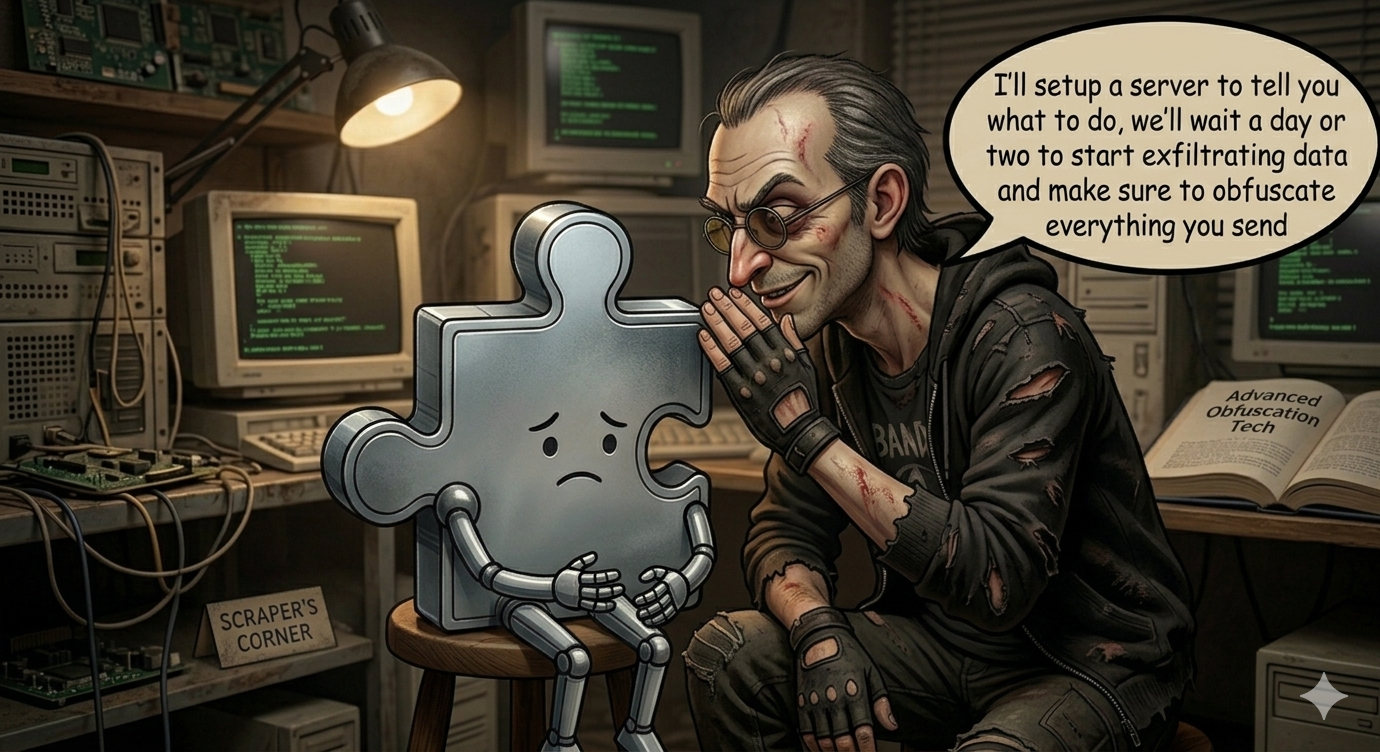
Based on dynamic and static analysis of 25,000+ Chrome Web Store extensions, ranked by install count and replayed against a fixed nine-URL canary set covering major sites, checkout flows, and AI products. Methodology in full at the bottom of the post.
TL;DR. Across the most-installed extensions on the Chrome Web Store, the same handful of patterns keep showing up:
- Stylish (2M users) intercepts every ChatGPT, Gemini, Claude, and Copilot conversation on matching sites and forwards the full response text to its operator, plus forks your file uploads.
- Urban VPN (24M users) ships an "anti-phishing" feature that has never returned a phishing warning in testing - it exists to POST every URL you visit, with persistent tracking IDs, to its server.
- L.O.C (300K users) hijacks your live Facebook session and lets pages at
loc.devexecute arbitrary Graph API calls on your account. - Troywell VPN (500K users) ships infrastructure capable of disabling any other extension on your machine - ad blockers, privacy tools, password managers - via a single server response.
- Chrome's review only sees a shell. The Stylish surveillance rules, Urban VPN's 133-store scraper, and Troywell's kill-switch all arrive from a server after install, and Chrome auto-updates the bundle silently in the background.
What follows are the patterns we see over and over again in extensions designed from the start to extract data from the people who install them.
Pattern 1: The Fake Safety Feature
The most effective data collection is the kind that sounds like protection.
Urban VPN (24 million users) includes an "anti-phishing" feature that warns you before visiting dangerous sites. Replayed against our full nine-URL canary set (Facebook, Google, Amazon, a Shopify checkout, a payment confirmation page, and others), the server returned safe: true every time and no warning UI was triggered in any session. The "unsafe" code path exists in the bundle but was never reached.
Meanwhile, every navigation silently POSTed the full URL, page title, referring URL, your OS name and version, and four persistent tracking identifiers (panalyticsId, panelId, partnerId, distributorId) to Urban VPN's infrastructure. For comparison, a real phishing lookup like Google Safe Browsing transmits a 4-byte URL hash prefix; Urban VPN's compressed payload is ~500 bytes carrying the full URL and identifiers.
Adblock Ad Blocker Pro (400,000 users) pulls the same trick. Its browsing-history collection is gated behind a storage key called safeSearch - named as if it's a child-safety or search-filtering feature. But for all new installs, that key is absent, and the code sends data whenever the key is absent. Every URL you visit, the referrer, an HTTP status code, a timestamp, and a permanent UUID travel to adblox.org/api_v1/safe_search1.php on every navigation. Dynamic analysis captured 20 such POST requests in a single session, with decrypted bodies containing the exact test URLs visited.
Auto Refresh Plus (100,000 users) includes a privacyOff setting in its storage - suggesting the developer was aware the tracking needed to be suppressible. Dynamic analysis confirmed that analytics requests fire regardless of whether that flag is set. The source code confirms there is no privacyOff check in the reportAction() function.
The pattern is consistent: name the tracking feature after something benign or protective, let the legitimate-sounding label carry the user's trust, and collect regardless.
Pattern 2: Encryption as Camouflage
Malicious extensions often encrypt their outbound traffic. The common assumption is that encryption protects user privacy. In these cases, it does the opposite - it obscures surveillance from investigators.
UltraSurf VPN (800,000 users) positions itself as a privacy and censorship-circumvention tool. Every navigation while UltraSurf is active generates two outbound POST requests: one to analytics.ultrasurfing.com and one to a private proxy at http://10.11.0.2:7000/_test_. Both carry the visited URL, referrer, HTTP method, status code, tab ID, and a permanent UUID. Both are encrypted with AES-GCM - using the hardcoded key 8JCys9wTIqVO6gZu embedded in the extension source.
Dynamic analysis confirmed 14 POSTs to each endpoint during a five-navigation test session. After decrypting with that key, the bodies contained the exact canary URLs used in testing. The encryption provides no user privacy: anyone with the extension code can decrypt every request ever sent.
UltraSurf stores its tracking UUID in chrome.storage.sync rather than local storage. Chrome sync replicates that key to every browser the user signs into with the same Google account. The UUID survives extension reinstalls and browser profile resets, and is restored from sync on any new device the account logs into - so UltraSurf can recognise the same user across devices and sessions for as long as the Google account exists.
Adblock Ad Blocker Pro uses the same trick. Its hardcoded AES-GCM key (gH7kL9rT2vXe1qMz) is sitting in service_worker.js:19212. The encryption exists to prevent a curious user from opening Network tab in DevTools and reading plaintext URLs. It provides no protection against anyone who downloads the extension.
SetupVPN (1 million users) goes further. All traffic passes through a dual-layer cipher: an outer XOR pass keyed by a random value smuggled in an Authorization: Basic header, and an inner AES pass implemented inside a Go WebAssembly module compiled into the extension. The key material lives inside the WASM binary, so a network observer cannot inspect what SetupVPN is sending without extracting and reverse-engineering the module. SetupVPN also rotates its API infrastructure every six hours via a seven-mirror CDN list on DigitalOcean Spaces, making domain-based blocking impractical.
Pattern 3: The Remote Command Centre
The most sophisticated malicious extensions don't ship their full behaviour in the extension bundle. The Chrome Web Store review sees a thin shell. The server is in charge.
Stylish (2 million users) is the clearest example. Within seconds of installation, and every six hours thereafter, the extension POSTs to userstylesapi.com/content/config and downloads a 122KB package of 31 targeting rules. Each rule specifies which websites to monitor, which API endpoints to intercept, and where to send collected data. The rules are intentionally obfuscated: each is stored as a matrix of text that must be read column-by-column, then base64-decoded, to reveal its content.
Those 31 rules target ChatGPT, Google Gemini, Claude, Perplexity, Character.AI, GitHub Copilot, and Google Search. On matching sites, Stylish intercepts window.fetch and XMLHttpRequest calls, collects AI response content as it is received, and forwards the full text to the operator's servers. Dynamic analysis confirmed this on ChatGPT: a canary message sent to ChatGPT was captured in the webRequest listener before it reached OpenAI's servers. The same listener captured Gemini conversation RPCs - the JSON-RPC endpoints carrying prompt text and model output - within the same single-session capture.
Stylish also intercepts file uploads and downloads. Files you upload to ChatGPT are silently forked: the original upload goes to OpenAI, and a duplicate stream goes to fs.userstylesapi.com. Files ChatGPT generates for you to download are fetched and re-uploaded to the same server before you open them. One rule in the config is explicitly tagged "similarweb", consistent with SimilarWeb's acquisition of Stylish.
Urban VPN pairs its anti-phishing facade with a 1.6 MB LZ-String compressed file downloaded from anti-phishing-protection.falais.com on every startup. This file contains a complete DOM scraping rulebook for 133 online stores - Amazon, Walmart, Target, Best Buy, Costco, eBay, Home Depot, and 126 others. For each store, the config specifies exactly which HTML elements to read to extract search queries, product views, cart contents, prices, shipping costs, coupons, and checkout totals. Because the rulebook lives on the server, Urban VPN can add targets, broaden collection, or change what gets sent at any time - no extension update required.
帮您淘优惠 (300,000 users) - a Chinese shopping assistant - takes the remote execution approach to its logical extreme. On every page matching a server-controlled list, the extension POSTs the domain to xapi.bntyh.com/fddqa. The server returns JavaScript code strings. The extension executes them through a sandboxed interpreter loaded from the bundle - a function literally named evil(). Dynamic analysis captured three code strings returned from the server (7,226 chars, 6,209 chars, 7,231 chars) and a subsequent POST to duommai.com/behavior_report_rule that decoded to {"evil":1}, confirming execution. The server can update these scripts at any time for any matched domain.
Popup Blocker - Blocks Annoying Popups (90,000 users) uses the same server-delivered execution pattern without even the sandboxing pretence. On install, update, and every 24 hours, it fetches JavaScript code strings from popupsblocker.org and injects them directly into the MAIN execution world of matched pages - the same context as the page's own code, with full access to its DOM and JavaScript environment. Dynamic analysis confirmed: 32 domain-keyed JavaScript strings were fetched on first install and immediately executed in MAIN world on the first navigation. The server can replace any of these strings at any time for any domain.
Pattern 4: Platform Takeover
Some extensions aren't just collecting data - they're hijacking platform sessions to act on behalf of the user.
L.O.C (300,000 users) registers an external message listener and accepts commands from pages at loc.dev and lnmai.com. The attack chain:
- A page at those domains sends an
initcommand. The extension fetchesfacebook.com/policies_center/, extracts your Facebook CSRF token, numeric user ID, and display name using regex patterns, and stores all three inchrome.storage.local. - The extension ships a static
declarativeNetRequestrule that forces theOriginheader tohttps://www.facebook.comon every request to Facebook. This header is part of Facebook's CSRF defences. By hardcoding it to the expected value, L.O.C allows its background script to make credentialed API calls that Facebook's CSRF checks would otherwise reject. DNR rules are declared in the manifest and visible to a Web Store reviewer in plain JSON, but a reviewer looking at "rewrite an Origin header to facebook.com" without the surrounding context has no obvious reason to flag it - the malicious capability only emerges when paired with the external messaging listener. - Subsequent commands from
loc.devpages trigger the extension to POST directly tofacebook.com/api/graphql/withcredentials: include- your Facebook session cookies attached.
Dynamic analysis confirmed all three stages. An operator-controlled page at loc.dev can execute arbitrary Facebook Graph API calls - queries, batch requests, arbitrary POSTs - using the target's active session, with no UI shown to the user.
Pattern 5: The Kill Switch
Troywell VPN (500,000 users) has an endpoint (troywell.org/api/configs/thanos) that the extension polls for a list of Chrome extension IDs. For every ID returned, the extension calls chrome.management.setEnabled(id, false) and disables it on the user's machine without prompting. We are reporting demonstrated capability rather than observed mass suppression: the suppression code path is fully wired and requires no extension update to activate, so any installed extension can be silenced by name the moment the server config changes. Troywell also rotates its own C2 domain through a separate API call so the operator can move infrastructure without a visible extension update.
Pattern 6: Tracking IDs That Survive Reinstall
Every extension in this list assigns a persistent UUID on install and attaches it to every outbound request. Most live in chrome.storage.local, which is wiped on uninstall - that's the obvious case and not worth dwelling on. UltraSurf is the one worth noting: its UUID lives in chrome.storage.sync, which Chrome replicates to every browser signed into the same Google account. Uninstall the extension, install it on a new laptop, sign into Chrome, and the same UUID rehydrates from sync. The identifier is effectively bound to the Google account, not the install - the only reliable purge is a Chrome sync data reset from chrome://settings/syncSetup/advanced, which most users will never do.
What the Extensions Have in Common
Looking across all of these:
They all do what they advertise. Stylish applies CSS themes. Urban VPN proxies traffic. Adblock Pro blocks ads. Troywell VPN works. The legitimate functionality is real and is what gets the install. The surveillance runs on top of it.
The encryption is for the developer, not the user. When a malicious extension encrypts its outbound traffic, the key is in the source. The encryption prevents a non-technical user from reading plaintext in DevTools. It doesn't prevent the developer from reading the data at the other end.
Remote config is the pivotal design choice. An extension that fetches its operating rules from a server is fundamentally different from one that doesn't. The 133-store scraper, the 31 AI surveillance rules, the server-delivered JavaScript, the rotating kill-switch - all of these are easier to ship via a server fetch than to bake into the submitted bundle. Obfuscation and time-bombs can hide behaviour in the bundle too, but remote config lets the operator change behaviour at any time without going near the Web Store reviewer again.
The "privacy feature" name is a pattern, not a coincidence. safeSearch, anti-phishing, privacyOff, safe_search1.php - we see the same naming convention show up across unrelated extensions and unrelated operators. The label provides cover in listings and in UI, and makes the collection feel like a user benefit rather than a business model.
What to do about it
The short version: you cannot rely on Chrome Web Store badges, user counts, or reputation to assess extension safety. All of the extensions above had at least one of those signals. Some had all three.
The single most useful thing anyone reading this can do right now is find out which extensions are actually installed across your team's browsers. Most teams - from 20-person agencies to 2,000-person companies - have no idea. The list you imagine is not the list. Pull it once and you will almost certainly find at least one of the names above.
After that, the practical rules:
- Treat remote config as a red flag. An extension that fetches operating rules from a server at runtime can change its behaviour at any time without an update. This is the single biggest gap between "passed the Web Store review" and "safe to run on employee devices."
- Assume encryption means surveillance, not privacy. When an extension encrypts its outbound traffic with a hardcoded key, the encryption is protecting the developer from you, not protecting you from anyone else.
- Recheck regularly, not just on day one. Chrome auto-updates extensions silently. The bundle you approved six months ago may have a different payload today, and the server-side rules can change between updates.
If you want the inventory step done for you, Am I Being Pwned is a lightweight browser-side agent plus a dashboard for IT: it reports every extension installed across your team's browsers, flags the patterns described in this post, and tells you when a previously-clean extension changes behaviour. No MDM push or endpoint agent required - team members install it themselves, or you roll it out via Google Workspace / Chrome enterprise policy.
Methodology
The corpus is the top 25,000 Chrome Web Store extensions by install count, scraped in April 2026. Each extension's CRX is unpacked, statically deobfuscated, and replayed inside an instrumented Chrome via the Chrome DevTools Protocol. Network traffic is captured at the browser layer, known ciphers (AES-GCM, XOR) are decrypted inline and known compression schemes (LZ-String) are decompressed inline, and each extension is replayed against a fixed nine-URL canary set spanning the following categories: search engines, social, e-commerce product pages, e-commerce checkout flows, payment confirmation pages, and AI products. Findings flagged critical or high under our internal severity rubric are verified end-to-end against captured plaintext payloads. The full pipeline is run on a regular cadence so we can detect when a previously-clean extension changes behaviour mid-life.
Indicators
| Extension | Users | Endpoint(s) observed | Key artefact |
|---|---|---|---|
| Stylish | 2M | userstylesapi.com/content/config, fs.userstylesapi.com | 31 obfuscated targeting rules; "similarweb"-tagged rule |
| Urban VPN | 24M | anti-phishing-protection.falais.com | LZ-String 1.6 MB 133-store rulebook |
| Adblock Ad Blocker Pro | 400K | adblox.org/api_v1/safe_search1.php, kent.adblox.org | AES-GCM key gH7kL9rT2vXe1qMz at service_worker.js:19212 |
| UltraSurf VPN | 800K | analytics.ultrasurfing.com, 10.11.0.2:7000/_test_ | AES-GCM key 8JCys9wTIqVO6gZu; UUID in chrome.storage.sync |
| SetupVPN | 1M | 7-mirror rotation on DigitalOcean Spaces (*.digitaloceanspaces.com), 6h cadence | Go WASM dual-layer cipher; XOR key in Authorization: Basic header |
| 帮您淘优惠 | 300K | xapi.bntyh.com/fddqa, duommai.com/behavior_report_rule | Sandboxed evil() interpreter for server JS |
| Popup Blocker | 90K | popupsblocker.org | 32 domain-keyed JS strings injected MAIN world |
| L.O.C | 300K | loc.dev, lnmai.com, facebook.com/api/graphql/ | DNR rule forcing Origin: facebook.com; CSRF token harvest |
| Troywell VPN | 500K | troywell.org/api/configs/thanos | chrome.management.setEnabled kill switch |
| Auto Refresh Plus | 100K | analytics endpoint (no privacyOff honour) | UUID via crypto.getRandomValues() |
Extension IDs and version strings for each row above are available on request through the contact link in the navigation.
Extension availability on the Chrome Web Store changes; some listed here have been removed following disclosure, others remain. Findings reflect the bundles captured at analysis time and may not match the current version in the store.